Member mismatches
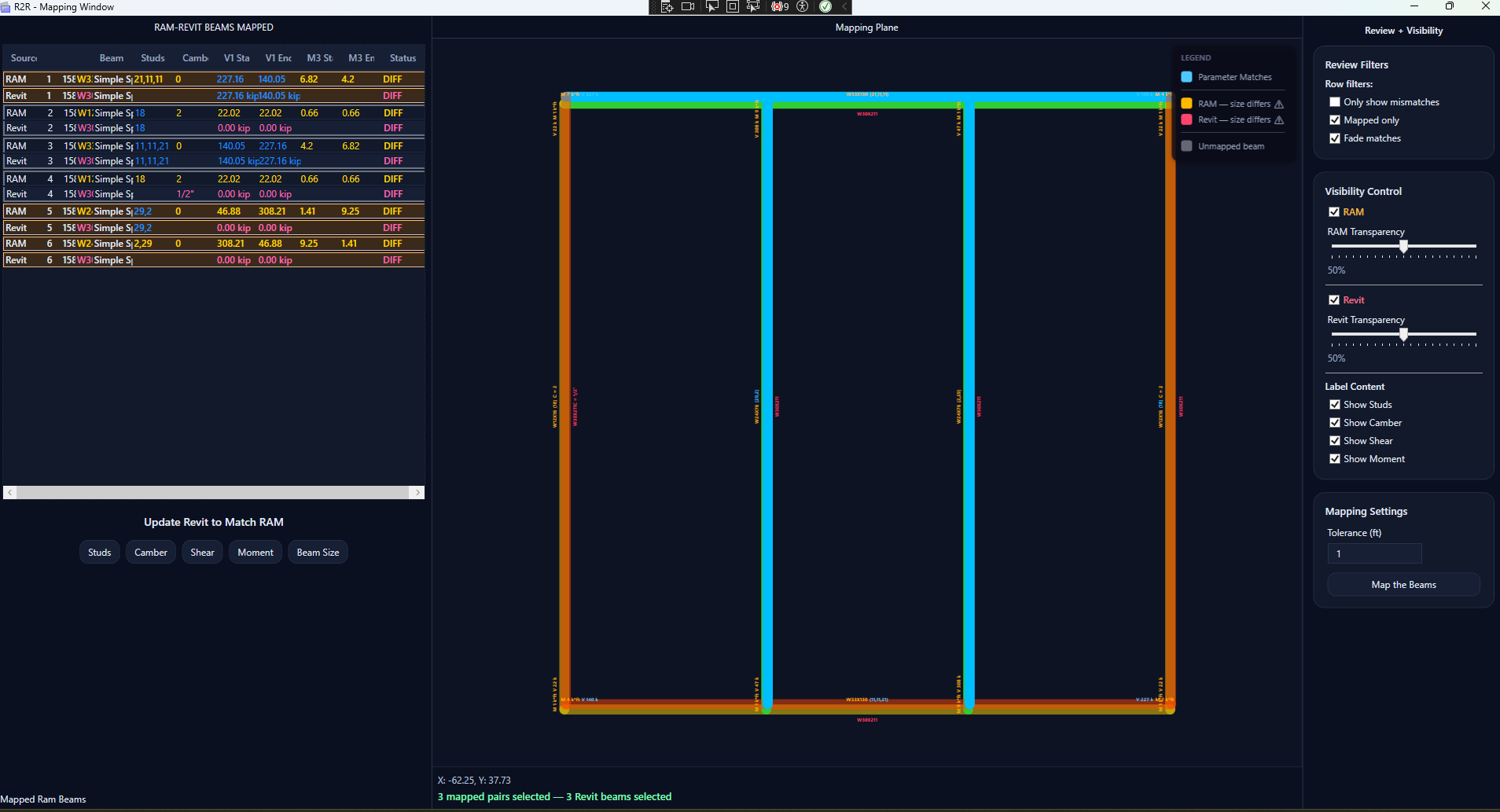
Flag beams whose sizes or selected parameters do not agree between RAM and Revit.
Custom software by Re-Tug
R2R connects RAM Structural System and Autodesk® Revit® so structural engineers can find framing discrepancies, coordinate whole floors, and move key design data into Revit with confidence.
Available through the Autodesk App Store
Made by an engineer, for engineers
Large structural floor models make manual comparison slow and easy to get wrong. R2R puts the RAM analysis model and Revit model into one visual review workflow, helping teams identify coordination issues before they travel downstream.
Review individual members, scan an entire framing plan, and update selected Revit parameters from RAM without relying on a tedious line-by-line check.
What R2R catches
Flag beams whose sizes or selected parameters do not agree between RAM and Revit.
Identify RAM beams that do not align with their corresponding Revit framing members.
Catch layout discrepancies such as six spaces in Revit versus seven spaces in RAM.
Review structural framing member lengths across both models in one workflow.
See mapped members, matches, differences, and unmapped framing in a color-coded plan view for rapid floor-wide coordination.
A focused workflow
Bring the RAM floor and Revit framing into alignment, map corresponding beams, then review the differences that matter.
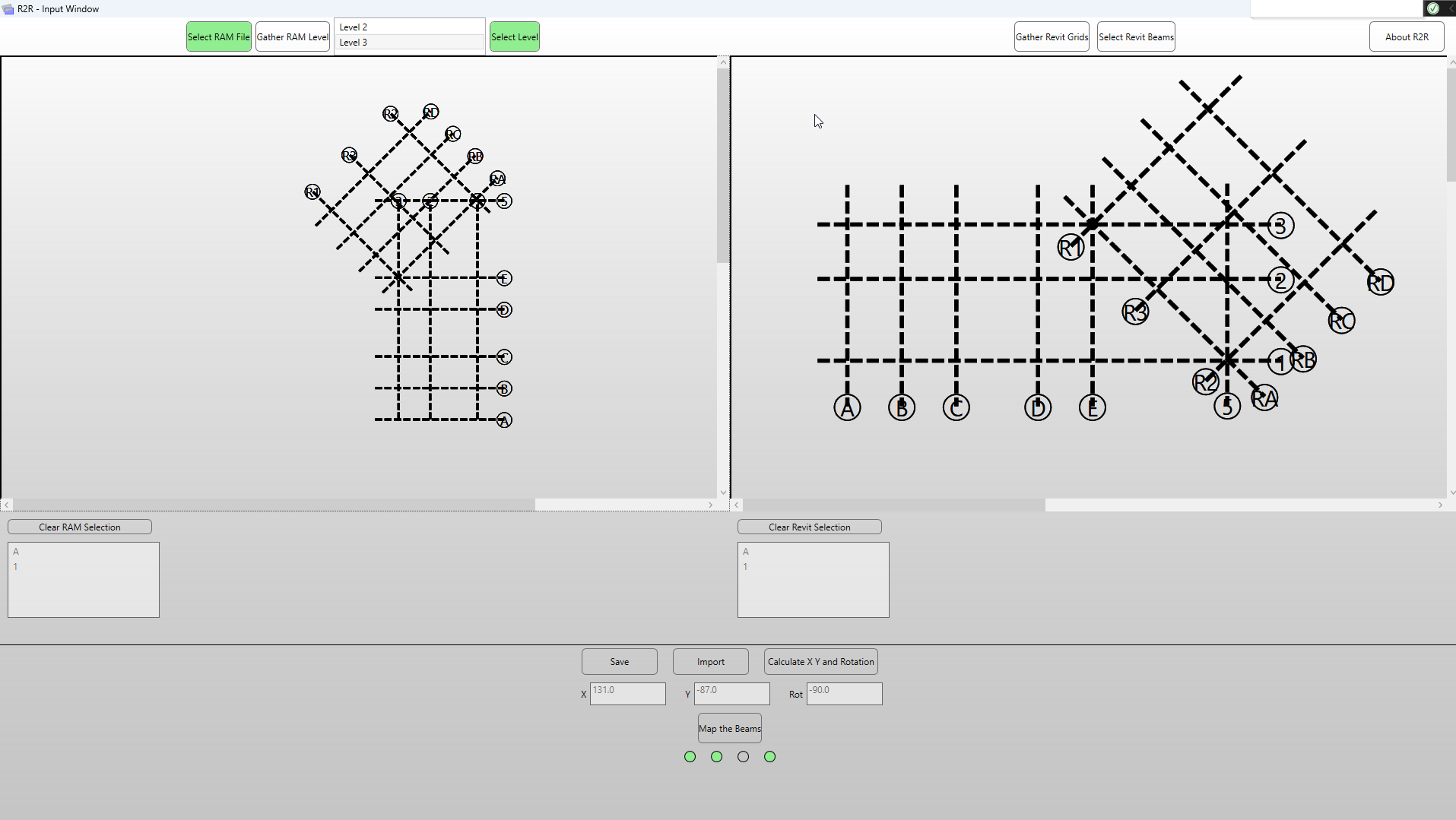
Select the RAM floor and corresponding Revit level, then align the model grids.
Pair RAM and Revit beams using a configurable mapping tolerance.
Filter mismatches, inspect the overlay, and write selected RAM values to Revit.
More than geometry
R2R can compare and drive selected engineering parameters from RAM into the corresponding Revit framing members.
See it in action
Product walkthrough
Major updates
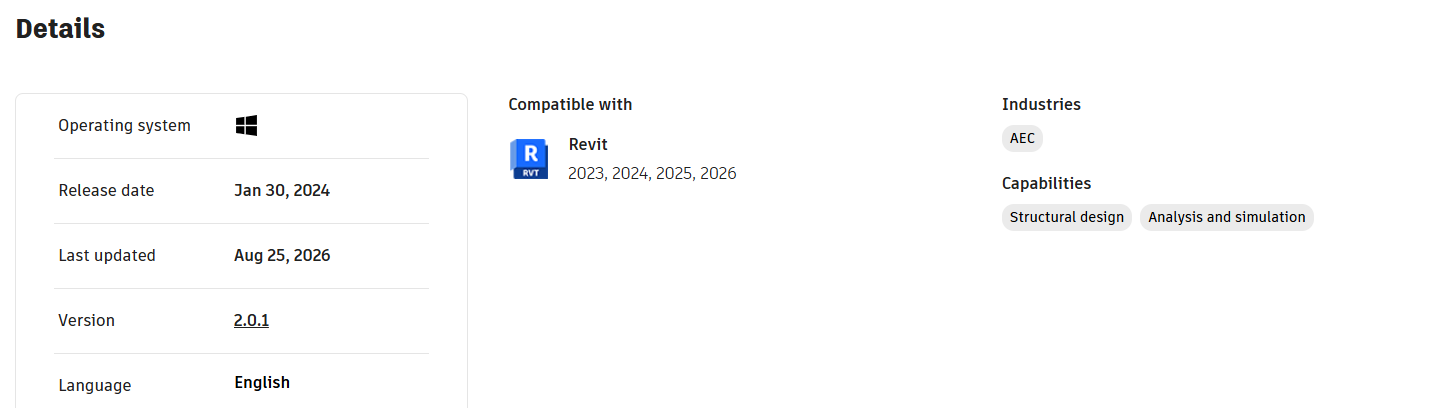
Product details
Coordinate with confidence
Get R2R from the Autodesk App Store and bring RAM-to-Revit coordination into one focused workflow.